
After you sign in, most day-to-day work in the portal falls into three areas: reading Announcements, checking My assets, and booking Meeting Rooms. This page gives a fast tour with screenshots; use the links under each section when you need step-by-step detail.
Announcements
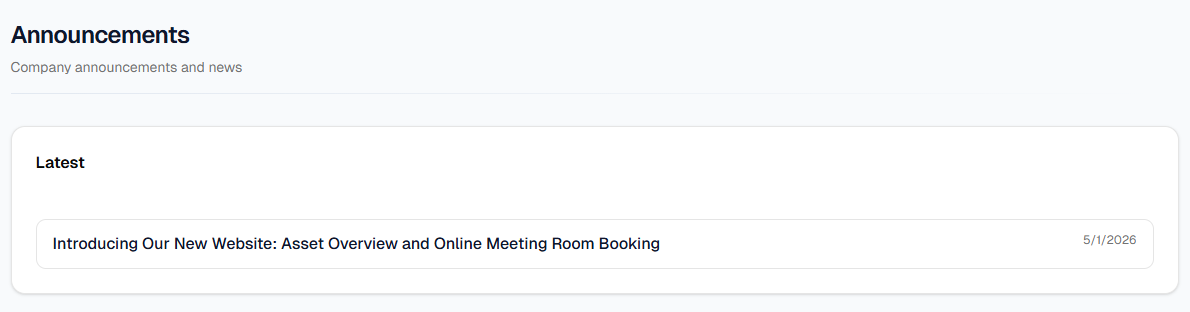
Open Announcements from the top bar or ☰ Menu. The Latest list shows published posts (pinned items first). Click a row for the full article; use Back to return. From Dashboard, View all opens the same list.
My assets
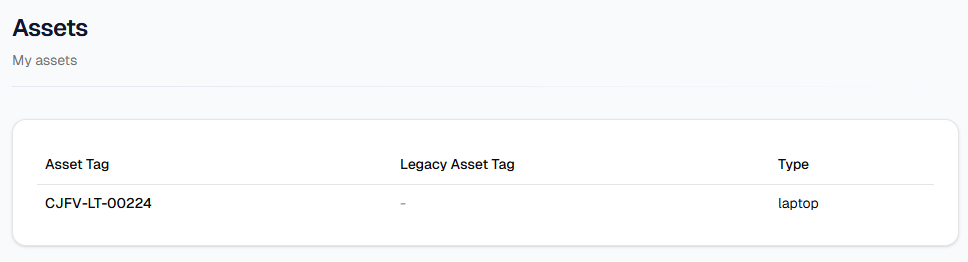
Open My assets from the top bar (next to Dashboard, Announcements, Meeting Rooms) or from ☰ on mobile. The table shows Asset Tag, Legacy Asset Tag, and Type. Click an Asset Tag for the detail page; use Back to list to return.
Meeting Rooms
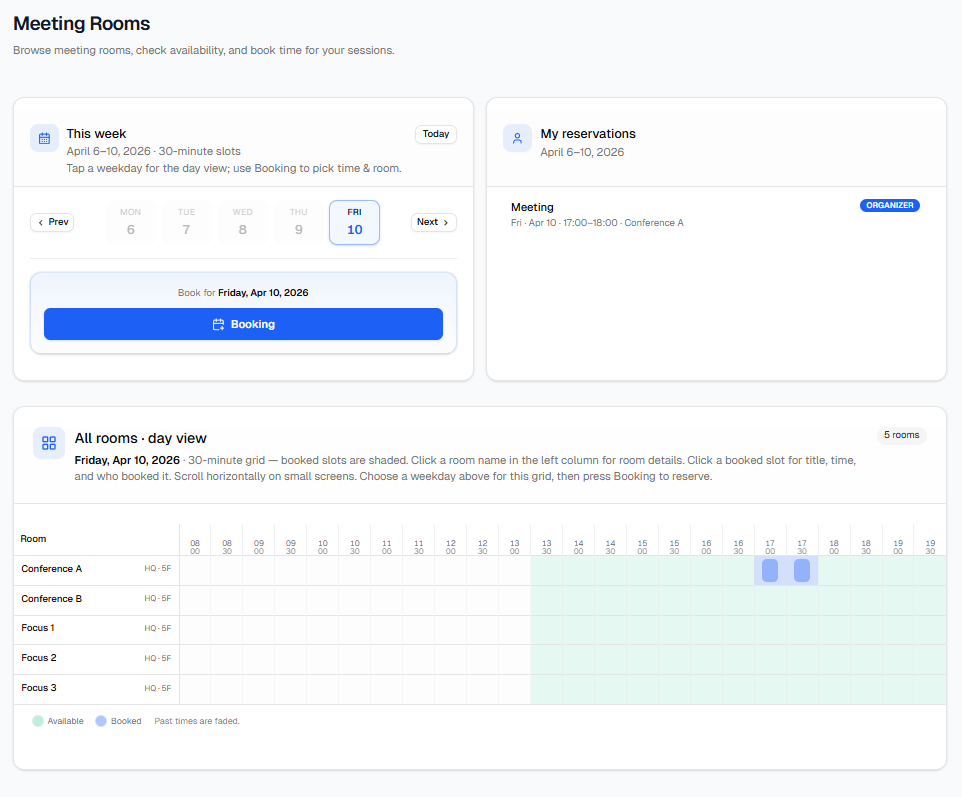
Open Meeting Rooms from the top bar or ☰. Use This week to pick a weekday and press Booking; choose a time range and a free room, then confirm in the dialog. My reservations shows your meetings; All rooms · day view shows the grid for the selected day.
Menus, Dashboard, Profile, Change password, and Sign out are covered in Using the portal—open that chapter for the full list of topics and screenshots.