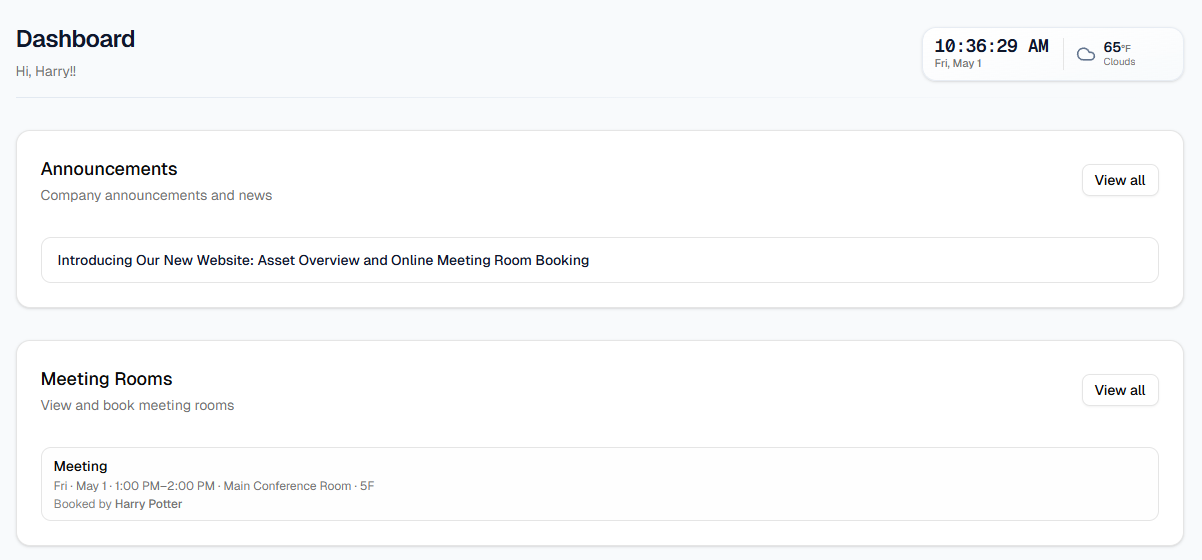
Dashboard is the default home after login. At the top you get a greeting with your name (when your employee record is linked) and optional clock/weather widgets. Below that, the page shows two main sections in order: Announcements (up to a few recent posts—each line opens that article) and Meeting Rooms (your upcoming bookings).
Each card has View all. For announcements, that opens the full list on the Announcements page; for meetings, it opens Meeting Rooms (schedule, booking, and details). If there are no posts or no upcoming meetings, the card shows an empty state message—that is normal.


Tips
- Use the logo or Dashboard in the top bar to return here from any page.
- You can reach Announcements and Meeting Rooms from the top navigation too; the dashboard cards are shortcuts to the same areas.
- If the greeting says “there” instead of your name, your profile may still be syncing—ask HR or IT.